


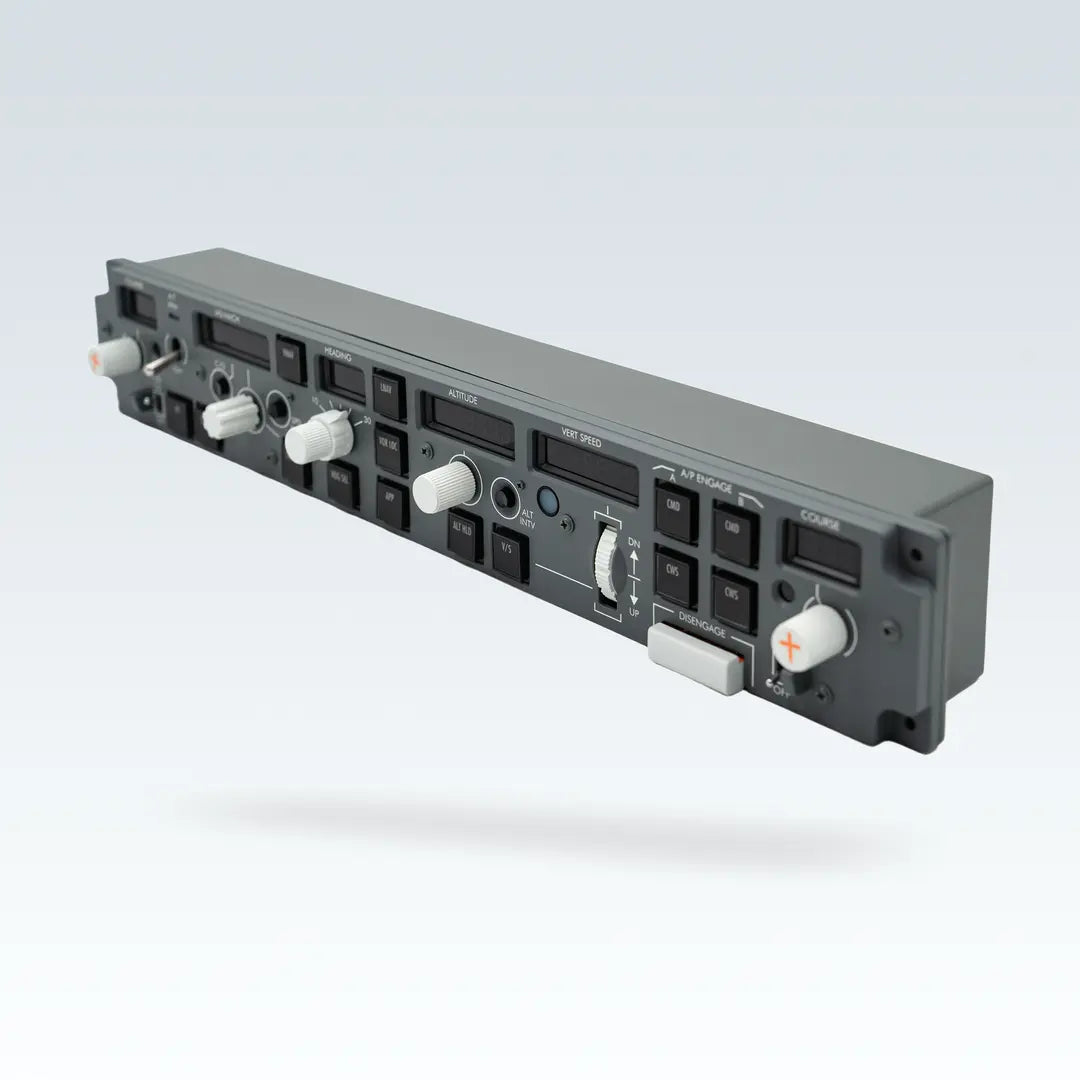
Cockpit Simulator 737X MCP — Training-Grade 1:1 Mode Control Panel

1:1 Real Cockpit Layout — Designed for serious flight simulation, home cockpits, and procedural training
Not DIY — This is a Professionally Designed Product

Design & Appearance
Designed as a true product to simulate real aircraft operation.
- Panel layout matches the 737 MCP
- Custom display fonts, speed/V/S modes follow real aircraft
- 14 dual-color backlit buttons and DISENGAGE markings enhance realism
- Built with 17 dedicated molds for accurate appearance

Control & Engineering
Built for realistic control feel and stable operation.
- A/T switch follows real aircraft logic, with precise bank rotary feedback
- Rotary switches provide smooth, controlled resistance
- All key parts are mold-made for consistency
- No setup required — simple USB connection
Connection Modes
USB Mode
MCP has a built-in power boost converter. Only needs a USB connection to the computer for MCP to work (including the A/T switch). CDU/EFIS also only needs a USB connection to the computer to work.

USB HUB Mode
When you have multiple Cockpit Simulator hardware devices and your computer’s USB ports are insufficient, use USB-HUB mode. Note that your USB-HUB must have an independent power supply to avoid insufficient power when multiple devices work simultaneously.

Home Simulator Mode (Daisy Chain)
Cockpit Simulator hardware supports daisy chain mode for home simulator builders. These connections are simple and convenient — when connected, only a single USB is needed to communicate with the computer, and other devices connect via daisy chain.

Dimensions


Package Contents

- 1× 1.5m USB Type-A to Type-C cable
- 1× CS 737X MCP
Connectors & Power Input
- 1× USB 2.0 Type-C (operating at full speed)
- 2× Daisy chain ports
- 1× DC 5.5mm × 2.1mm power input (DC 9–24V, 2A)
Product Dimensions & Weight
- Width: 470mm
- Depth: 93.5mm
- Height: 74mm
- Weight: 1.5 kg
Package Dimensions & Weight
- Width: 585mm
- Depth: 205mm
- Height: 170mm
- Weight: 1.9 kg