


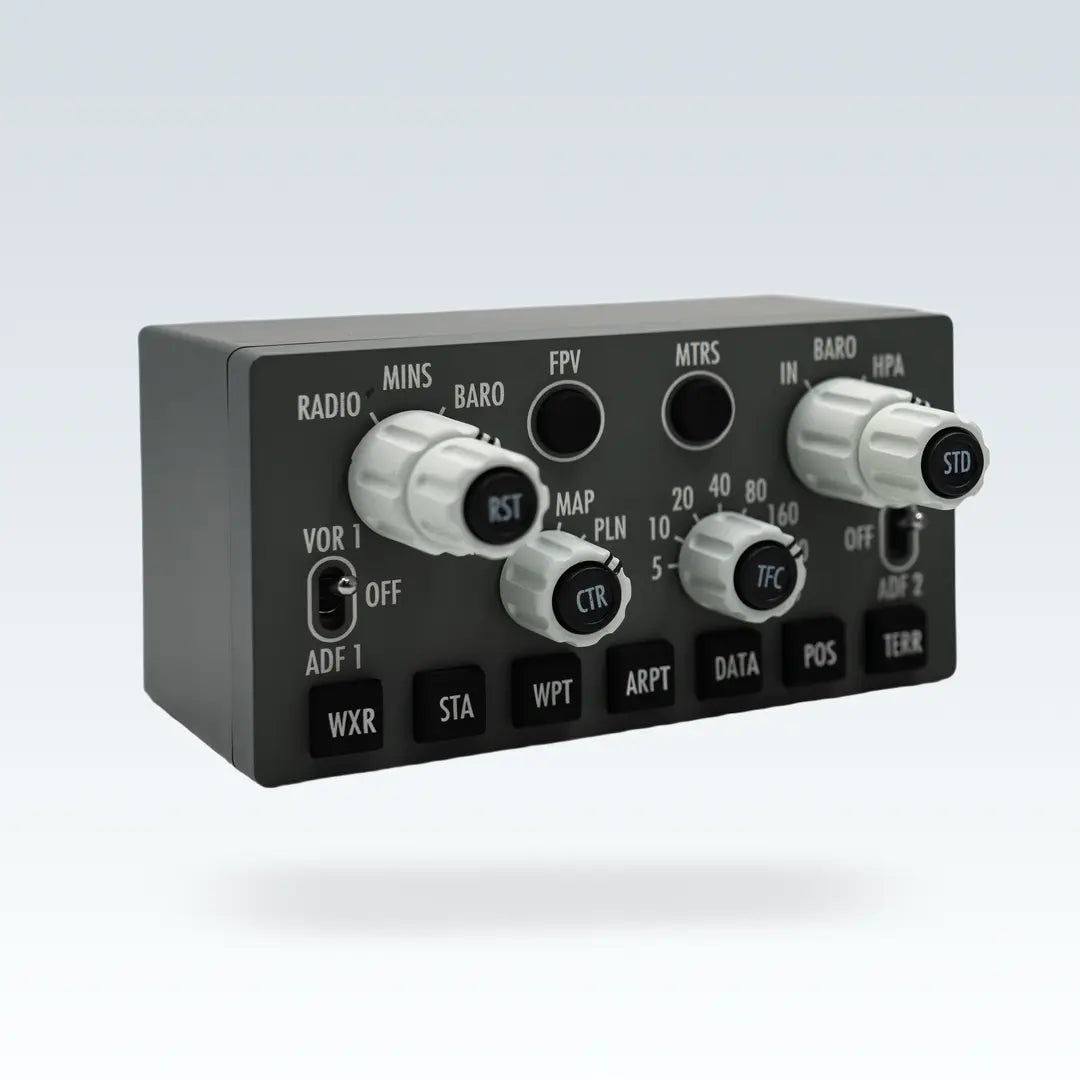
CS 737X EFIS — Training-Grade 1:1 Electronic Flight Instrument System Panel
Designed for serious flight simulation, home cockpits, and procedural training. The CS 737X EFIS is not a DIY module — it is a real home flight simulation product. 1:1 simulation of the real aircraft’s size with an engineering plastic shell. Pursuing each component close to the real aircraft, we made 6 dedicated molds to achieve this goal.


Product Type Design
Our design uses the idea of “product” to simulate the real aircraft.
- 2 customized three-layer knob with button, same function as the real aircraft
- 2 customized two-layer knob with button, same function as the real aircraft
Close to the Feel of the Real Aircraft
Customized MINS and BARO knobs, close to the feeling of the real aircraft.
- Panels and enclosures made of molds
- Knobs made of molds with the same appearance as the real aircraft
- Silicone buttons
Close to the Appearance of Real Aircraft
6 molds made to achieve the appearance of the real aircraft.
- When the display mode knob is on PLN position, the CTR button cannot be pressed
- Fixed orientation RST / STD / CTR / TRC button, does not turn with the bottom
No Settings Required — Simple Plug-and-Play Bridge Software

Cockpit Simulator Bridge (CS Bridge) is an easy-to-use software — just open it, plug in your devices, and it automatically connects to your flight simulation game and aircraft addon. CS Bridge also features hardware testing and over-the-air device firmware updates.
Connection Modes
USB Mode
MCP has a built-in power boost converter. Only needs a USB connection to the computer for MCP to work (including the A/T switch). CDU/EFIS also only needs a USB connection to the computer to work.

USB HUB Mode
When you have multiple Cockpit Simulator hardware devices and your computer’s USB ports are insufficient, use USB-HUB mode. Note that your USB-HUB must have an independent power supply to avoid insufficient power when multiple devices work simultaneously.

Home Simulator Mode (Daisy Chain)
Cockpit Simulator hardware supports daisy chain mode for home simulator builders. When connected, only a single USB is needed to communicate with the computer, and other devices connect via daisy chain.

Dimensions


Package Contents

- 1× 1.5m USB Type-A to Type-C cable
- 1× CS 737X EFIS
Connectors & Power Input
- 1× USB 2.0 Type-C (operating at full speed)
- 1× SIX PACKS proprietary port
- 2× Daisy chain ports
- 1× Captain / First Officer toggle switch
Product Dimensions & Weight
- Width: 117mm
- Depth: 110.8mm
- Height: 62mm
- Weight: 0.5 kg
Package Dimensions & Weight
- Width: 270mm
- Depth: 208mm
- Height: 155mm
- Weight: 0.9 kg