跳至产品信息
1 / 5

Cockpit Simulator

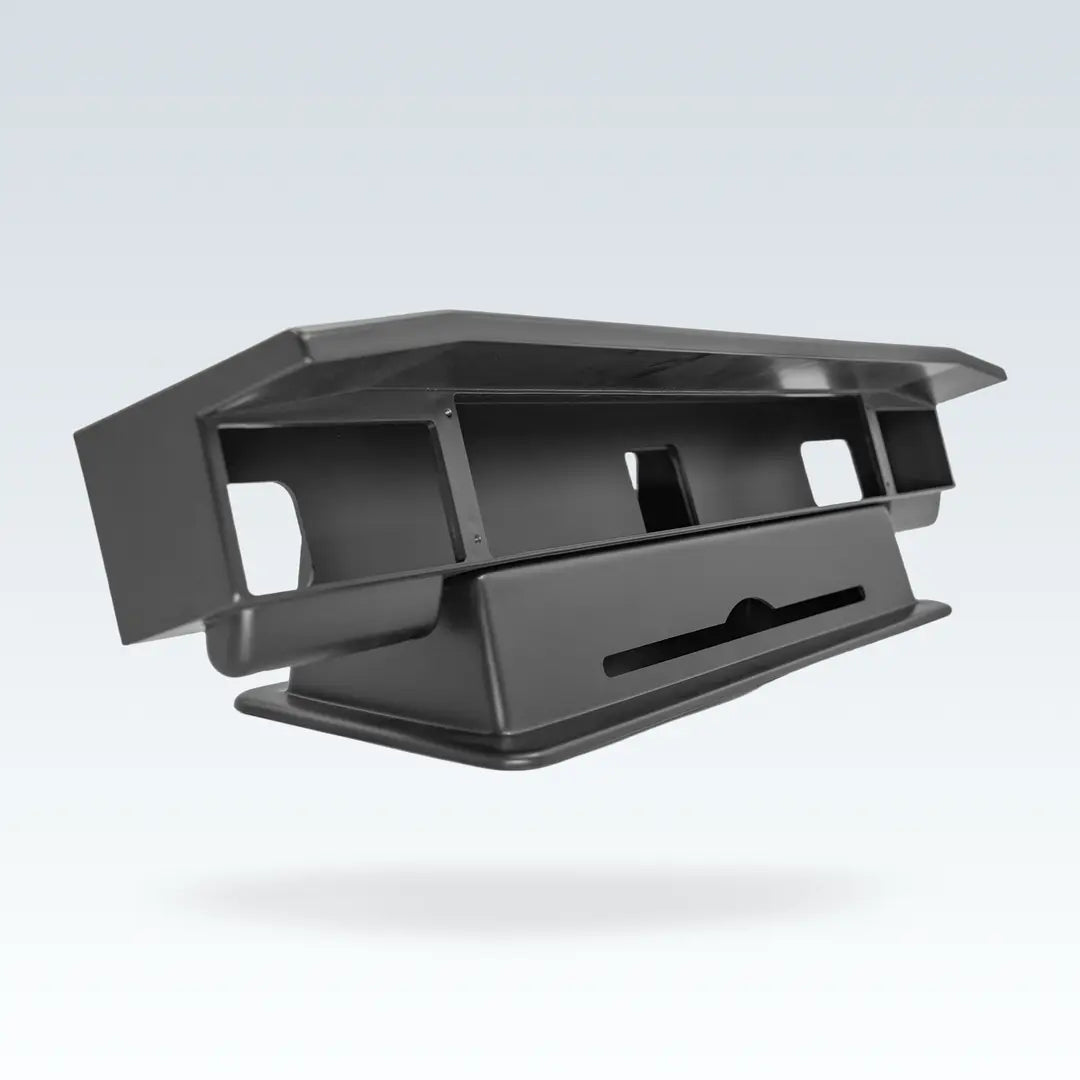
CS 737X MCP&EFIS Desktop Stand

CS 737X MCP&EFIS Desktop Stand

常规价格 $299.00 USD
常规价格 促销价 $299.00 USD
促销 售罄

It is a home flight simulation equipment which the closest to the real aircraft. It is not a DIY module, it is a real home flight simulation “product”. 1:1 Simulation of the real aircraft’s size, and an engineering plastic shell. We are pursuing each component close to the real aircraft.

数量
查看完整详细信息

CS 737X MCP & EFIS Desktop Stand — Mounting Solution for 737 Flight Simulator

Securely mount your 737X MCP and dual EFIS modules on any desk or table

* Desktop stand is not sold separately. Only available with the purchase of MCP or EFIS from our shop. Orders without a qualifying purchase will be cancelled.

CS 737X MCP and EFIS Desktop Stand - Overview CS 737X MCP and EFIS Desktop Stand - Effect After Installation Front View CS 737X MCP and EFIS Desktop Stand - Effect After Installation Side View

Package Contents

  • 1x Desktop stand
  • 4x Screws for MCP mounting
  • 4x Screws for EFIS fixing

Specifications

  • Product Dimensions (W × D × H): 723 × 187 × 183mm
  • Package Dimensions (W × D × H): 800 × 250 × 250mm
  • Product Weight: 4.0 kg
  • Package Weight: 5.0 kg
  • Compatibility: CS 737X MCP, CS 737X EFIS (dual)

Installation Guide

CS 737X MCP EFIS Desktop Stand - Installation Guide Steps 1-3 CS 737X MCP EFIS Desktop Stand - Installation Guide Steps 4-7
  1. Insert the 4 gray screws into the MCP fixing holes at the same time.
  2. Align the 4 gray screws with the screw holes of the stand, and twist each screw 2–3 turns. Do not tighten individually.
  3. Leave a gap between the screw and the panel. Overtightening will cause the panel paint to peel off.
  4. Insert EFIS into the stand, aligning the 2 rear fixing holes with the stand mounting holes. (Note: the front two holes are not used.)
  5. Align the EFIS screw holes with the stand screw holes, keeping the MCP panel and EFIS panel on the same plane.
  6. Screw in two self-tapping screws to secure the EFIS. Repeat from Step 4 for the second EFIS.
  7. Installation complete.

About Cockpit Simulator

Cockpit Simulator 737 Series

The Cockpit Simulator team brings together members from around the world, with core designers holding experience in professional avionics companies, full flight simulator companies, aircraft maintenance engineering, and leading software firms — all united by a passion for flight simulation.

We are dedicated to making the most realistic simulation equipment for flight simulation enthusiasts — infinitely closer to the functionality and feel of a real aircraft, at an accessible price.

Warranty Policy

System Requirements

Windows 10 (64-bit) or later

Interface: USB 2.0 port

Storage: 50MB disk space

AIRCRAFT ADDON SUPPORT LIST

ProSim

ProSim737

(with bridge software v2024.4.0 and later)

(requires ProSim737 version 3.00 and above)

ProSimB38M

(with bridge software coming soon)

(requires ProSimB38M version 1.27 and above)

Microsoft Flight Simulator 2024

PMDG 777 for MSFS 2024

(with bridge software v2026.1.6 and later)

(including but not limited to: 777-200ER, …)

PMDG 737 for MSFS 2024

(with bridge software v2026.1.0 and later)

(including but not limited to: -600, -700, -800, -900, …)

iFly 737 MAX8 for MSFS 2024

(with bridge software v2025.2.3 and later)

Microsoft Flight Simulator (2020)

PMDG 737 for MSFS

(with bridge software v2022.2.0 and later)

(including but not limited to: -600, -700, -800, -900, …)

PMDG 777 for MSFS

(with bridge software v2026.1.6 and later)

(including but not limited to: 777-200ER, 777-300ER, 777F, …)

iFly 737 MAX8 for MSFS

(with bridge software v2024.7.4 and later)

X-Plane (11 / 12)

B737-800X ZIBO mod

(with bridge software v2022.2.0 and later)

Threshold LevelUp 737NG

(with bridge software v2025.1.1 and later)

IXEG 737 Classic

(with bridge software coming soon)

Prepar3D (v1 to v5) / Flight Simulator X

PMDG 737NGX

(with bridge software v2022.2.0 and later)

PMDG 737NGXu

(with bridge software v2022.2.0 and later)

PMDG 747-400

(with bridge software v2022.2.0 and later)

PMDG 747-8

(with bridge software v2022.2.0 and later)

PMDG 777

(with bridge software v2022.2.0 and later)

iFly Jets – The 737NG

(with bridge software v2024.5.2 and later)

About Cockpit Simulator

The members of Cockpit Simulator come from all over the world, and the core designers have work experience in professional avionics companies, full flight simulator companies, aircraft maintenance engineering companies, and well-known software companies. At the same time, we are also flight simulation enthusiasts.

We are dedicated to making the most realistic simulation equipment for flight simulation enthusiasts. The feature of our products is infinitely closer to the functionality and feel of a real aircraft and at a low price.

We will complete each module of the cockpit step by step, so that every flight simulation enthusiast can build a flight simulator at home.

We will focus on product strength and continue to achieve excellent quality to provide top flight simulation products for flight enthusiasts and pilots.

Warranty

1. Warranty Period
This product is covered by a two-year warranty starting from the actual date of purchase by the customer.
The warranty period shall be determined based on a valid proof of purchase provided by the customer (such as an invoice, order record), using the purchase date shown on the document.

2. Warranty Coverage
During the warranty period, after-sales service will be provided if the product experiences any of the following issues under normal use:

  • Performance failure or quality issues caused by non-human factors;
  • Issues that are confirmed by our after-sales inspection to be inherent product quality defects.

The following situations are not covered by the warranty:

  • Damage caused by human factors, including but not limited to dropping, water damage, unauthorized disassembly, modification, or alteration;
  • Malfunctions caused by improper use or failure to follow the product user manual;
  • Damage caused by force majeure events, such as fire, lightning, floods, or other natural disasters;
  • Products that have exceeded the warranty period;
  • Cases where valid proof of purchase cannot be provided or the purchase information cannot be verified.

3. After-Sales Service Method

  • For products that meet the warranty conditions within the warranty period, replacement service will be provided in principle;
  • The replacement product will be of the same model. If the original model is discontinued or out of stock, a replacement with equal or higher performance will be provided.

4. After-Sales Service Procedure (Important)​
To ensure fairness and standardization of after-sales service, the replacement process is as follows and is effective immediately:

4.1 After-Sales Request
Customers must contact our official after-sales email and provide the following information:

  • Description of the product issue;
  • Valid proof of purchase (invoice, order record, etc.);
  • Contact information and delivery address (including full name, phone number, and email address).

4.2 Return of the Defective Product
Customers must return the defective product to the address designated by our company according to the after-sales instructions;
If the defective product is not returned, the company will no longer provide advance replacement service.

4.3 Product Inspection
Upon receipt of the returned product, our company will conduct inspection and verification.

4.4 Replacement Shipment

  • If the inspection confirms that the issue falls within the warranty coverage, a new replacement product will be shipped after the inspection is completed;
  • If the product does not meet the warranty conditions, the customer will be contacted to discuss further solutions, such as paid repair or replacement.

5. Shipping Cost Policy

  • Return shipping of the defective product: In principle, the cost shall be borne by the customer;
  • Shipping of the replacement product: The cost shall be borne by our company.

6. Customs Duties and Taxes Policy

  • Customs duties and taxes for returning the defective product: Any customs duties, import taxes, or related charges incurred when returning the defective product shall be borne by our company.
  • Customs duties and taxes for shipping the replacement product: Any customs duties, import taxes, or related charges incurred when shipping the replacement product shall be borne by the customer.

7. Method of Warranty

  • To submit a Warranty claim, contact CS Technical Support (“CS Support”) via email at info@flylanta.com.